By George Simte – Ad Campaign Academy (ACA), Lamka
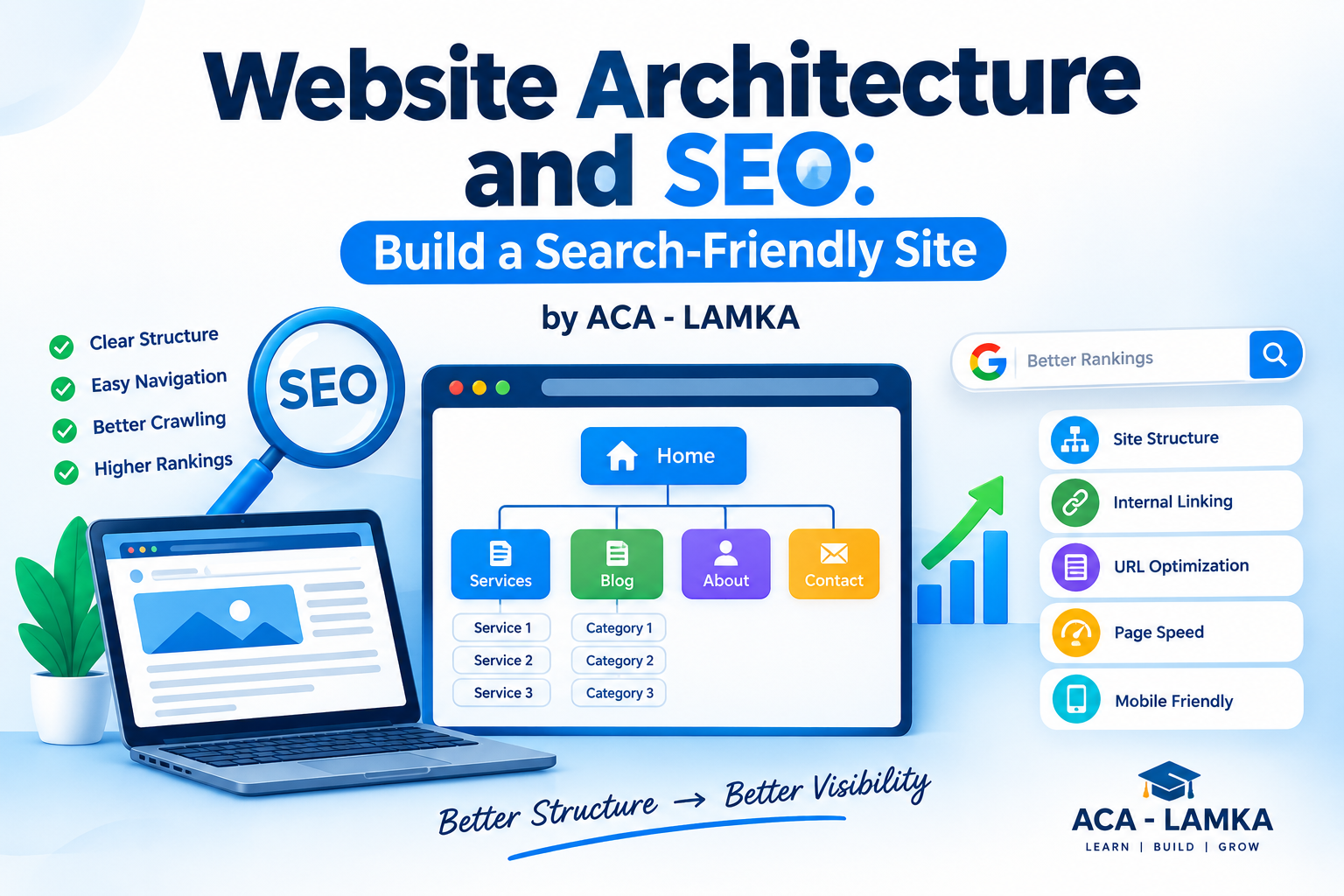
A website can have excellent content, but if its structure is confusing, both users and search engines may struggle to understand it. Website architecture is the way your website’s pages, categories, navigation, URLs and internal links are organized. Website Architecture and SEO
A well-planned website architecture helps visitors find information quickly and helps search engines discover, crawl and understand important pages. For businesses, bloggers, ecommerce websites and content creators, building a search-friendly structure should be part of the SEO strategy from the beginning.
What Is Website Architecture?
Website architecture is the overall structure of a website and the relationship between its pages.
For example, a digital marketing website might have: search-friendly website
Homepage → Services → SEO Services → Local SEO → SEO Blog
An ecommerce website could use: SEO audit workflow
Homepage → Categories → Products → Product Details
This structure creates a logical path for both users and search engines.
Why Is Website Architecture Important for SEO?
Search engines need to discover and understand your webpages before they can potentially appear in search results. SEO site audit
Good architecture can help with:
- Search engine crawling
- Page discovery
- Internal linking
- Topic organization
- User navigation
- Distribution of internal authority
- Better user experience
A poorly structured website may have important pages buried several clicks deep or disconnected from the rest of the site.
Create a Simple Website Hierarchy
A beginner-friendly website should have a clear hierarchy.
For example, an SEO agency could organize its website like this:
Home
→ SEO Services
→ Local SEO
→ Technical SEO
→ On-Page SEO
→ Off-Page SEO
Blog
→ Keyword Research
→ SEO Guides
→ Google Ads
→ Content Marketing
This makes it easier for users to understand what the website offers.
Keep Important Pages Close to the Homepage
Important pages should not be unnecessarily buried deep within your website.
For example:
Home → Services → SEO
is generally easier to navigate than:
Home → Category → Archive → Subcategory → Old Post → SEO Service
A simple structure can improve discoverability and make navigation easier.
Use SEO-Friendly URLs
Your URLs should be short, descriptive and easy to understand.
Good URL
example.com/seo-services
Poor URL
example.com/page?id=12345&category=abc
A descriptive URL gives users and search engines a clearer idea about the page.
For blog posts, use meaningful slugs such as:
example.com/keyword-research-guide
instead of unnecessarily long URLs containing dates, numbers and unrelated words.
Build Strong Internal Linking
Internal links connect one page on your website to another page on the same website.
For example:
SEO Guide → Keyword Research Guide → On-Page SEO Guide → Technical SEO Guide
This creates a connected content network.
When writing a blog post, link naturally to relevant pages that help the reader understand the topic better.
For example, an article about Google Ads could link to related content about keyword research, landing pages and conversion tracking.
Create Topic Clusters
One effective approach is to create a main pillar page supported by related articles.
For example: website structure for SEO
Pillar Page
Complete SEO Guide
Supporting articles:
- Keyword Research Guide
- On-Page SEO Guide
- Technical SEO Guide
- Off-Page SEO Guide
- Local SEO Guide
- Link Building Guide
The supporting articles can link back to the main SEO guide, creating a strong topical structure.
Make Your Website Mobile-Friendly
A large portion of web browsing happens on mobile devices, so your website should work properly on smartphones and tablets.
Check:
- Responsive design
- Readable text
- Easy navigation
- Touch-friendly buttons
- Fast-loading pages
- Properly sized images
A visitor should be able to navigate your website comfortably without zooming or scrolling horizontally.
Improve Page Speed
Website performance is important for both users and SEO. Website Architecture and SEO
You can improve performance by:
- Compressing images
- Using modern image formats
- Removing unnecessary plugins
- Minimizing excessive scripts
- Using caching
- Choosing reliable hosting
- Reducing unnecessary page elements
A faster website generally provides a better user experience.
Create an XML Sitemap
An XML sitemap provides search engines with information about important URLs on your website.
SEO plugins such as Rank Math and other SEO tools can help generate and manage sitemaps for many websites.
After creating your sitemap, make sure important pages are accessible and indexable.

SEO Site Audit Workflow
Before changing your website architecture, perform an SEO site audit. An audit helps identify technical problems, indexing issues, weak content, broken links and opportunities for improvement.
Follow this beginner-friendly workflow.
Step 1: Crawl the Website
Start by crawling your website with an SEO crawler or audit tool.
Check important URLs, page titles, headings, status codes, canonical tags, redirects and internal links.
Create a list of problems that need attention instead of changing everything at once.
Step 2: Check Indexing
Review which important pages are indexed and whether any valuable pages are accidentally blocked.
Check:
robots.txt- XML sitemap
- Noindex directives
- Canonical URLs
- Indexable pages
- Search Console indexing reports
Your goal is to make sure important pages can be discovered and indexed appropriately.
Step 3: Audit Website Architecture
Map your main website sections.
Ask:
- Can users reach important pages easily?
- Are important pages linked from relevant pages?
- Are there orphan pages?
- Are categories logically organized?
- Are there unnecessary duplicate pages?
- Are important pages too many clicks away from the homepage?
Fix the biggest navigation and discoverability problems first.
Step 4: Audit URLs and Redirects
Look for:
- Broken URLs
- 404 errors
- Redirect chains
- Redirect loops
- Duplicate URLs
- Poor URL structures
- Unnecessary URL parameters
Where appropriate, redirect permanently moved pages to their most relevant replacement.
Step 5: Audit Internal Links
Identify pages with very few internal links and pages receiving excessive or irrelevant links.
Add contextual internal links between related content. Website Architecture and SEO
For example:
Keyword Research → On-Page SEO → Technical SEO → Off-Page SEO
This creates a logical content pathway for users and search engines.
Step 6: Audit Content
Review your important pages for:
- Search intent
- Content quality
- Keyword targeting
- Duplicate content
- Thin content
- Outdated information
- Missing title tags
- Missing or weak meta descriptions
- Poor heading structure
Don’t create new content simply because a keyword exists. First determine whether an existing page can satisfy the search intent.
Step 7: Check Mobile and Performance
Test important pages on mobile devices.
Review:
- Loading performance
- Mobile layout
- Navigation
- Font size
- Buttons
- Images
- Core Web Vitals
Fix issues that create a poor user experience.
Step 8: Review Backlinks and Authority
Review your website’s backlink profile and referring domains.
Look for:
- Relevant backlinks
- Important referring domains
- Lost backlinks
- Suspicious patterns
- Brand mentions
- Link opportunities
Don’t judge SEO performance only by DA or another third-party authority score.
Step 9: Prioritize SEO Problems
Not every SEO issue has the same importance.
Use a simple priority system:
High Priority: Indexing problems, major broken pages, serious technical issues
Medium Priority: Internal linking, duplicate metadata, weak architecture
Low Priority: Minor formatting and optimization improvements
Fix high-impact problems first.
Step 10: Monitor Results
After making changes, monitor your website regularly.
Track:
- Organic clicks
- Impressions
- Search rankings
- Indexed pages
- Organic traffic
- Conversions
- Crawl errors
- Page performance
SEO is an ongoing process. Audit, improve, measure and repeat.
SEO Audit Checklist
Use this quick checklist:
☑ Crawl website
☑ Check indexability
☑ Review XML sitemap
☑ Check robots.txt
☑ Analyze website architecture
☑ Find orphan pages
☑ Fix broken links
☑ Review redirects
☑ Improve internal linking
☑ Audit titles and headings
☑ Review content quality
☑ Check mobile usability
☑ Test page performance
☑ Review backlinks
☑ Monitor Search Console data
☑ Track organic traffic and conversions
Avoid Common Architecture Mistakes
Beginners often make these mistakes:
- Too many unnecessary categories
- Broken internal links
- Duplicate pages
- Very long URLs
- Important pages buried too deeply
- Poor mobile navigation
- Orphan pages with no internal links
- Unnecessary redirects
- Confusing menus
Regularly audit your website to identify and fix these problems.
Website Architecture Example
Imagine a digital marketing academy website.
A simple structure could be:
Home
→ Courses
→ Digital Marketing Course
→ SEO Course
→ Google Ads Course
→ Meta Ads Course
Resources
→ SEO Blog
→ Digital Marketing Blog
→ Google Ads Guides
About
→ George Simte
→ ACA-Lamka
→ Contact
This structure makes the website easier to navigate and creates clear relationships between related content.
Final Thoughts
A search-friendly website starts with a strong foundation. Don’t build hundreds of pages first and worry about structure later.
Plan your hierarchy, create descriptive URLs, use internal links, organize related content into topic clusters, keep important pages accessible and make the website fast and mobile-friendly.
Remember:
Simple Structure + Clear URLs + Internal Links + Useful Content + Good User Experience = Strong SEO Foundation
For SEO professionals and beginners, use the audit → identify → prioritize → fix → measure workflow to continuously improve your website.
Learn practical SEO, digital marketing, Google Ads, Meta Ads, WordPress and ecommerce marketing with George Simte – Lead Mentor, Ad Campaign Academy (ACA), Lamka.
FAQs – ACA – LAMKA
1. What is website architecture in SEO?
Website architecture is the way a website’s pages, categories, navigation, URLs and internal links are organized so users and search engines can easily understand and navigate the site.
2. Why is website architecture important for SEO?
A clear website structure can improve crawling, page discovery, internal linking, navigation and user experience while helping search engines understand relationships between pages.
3. What is an SEO site audit?
An SEO site audit is a systematic review of a website’s technical SEO, indexing, content, URLs, internal links, performance, mobile usability and other factors that may affect search visibility.
4. How often should I perform an SEO site audit?
A basic audit can be performed regularly, while a deeper audit is useful after major website redesigns, migrations, technical changes or significant drops in organic traffic.
5. How does internal linking help SEO?
Internal links connect related pages and help users and search engines discover important content. They can also help establish relationships between pages within a topic cluster.
6. What is a good website structure for SEO?
A good structure is simple, logical and easy to navigate. Important pages should be accessible through clear categories, descriptive URLs and relevant internal links.
7. What should I check during an SEO site audit?
Check crawling and indexing, XML sitemap, robots.txt, URLs, redirects, broken links, internal linking, content quality, metadata, mobile usability, page performance, backlinks and organic search performance.
Table of Contents